← Back to work
Case Study
Anonymous streaming with Resona
An open source Android app that streams music from YouTube Music without an account, an API key, or a login screen.
Resona is an Android app that streams music from YouTube Music without an account, an API key, or ads. Search for a song, tap play, and it works. Liked songs, playlists, and offline downloads all live on the device, never behind a login.
I built it because I wanted an anonymous way to listen to YouTube Music on Android, without handing a service an account it never needed in the first place.
It talks straight to InnerTube, the private API the YouTube Music web client itself uses. Anonymous access gets blocked more the longer a client stays anonymous, so Resona falls back across six client identities in order until one still works.
Protected stream URLs are signed and throttled by parameters YouTube computes with its own player JavaScript. Resona runs that same script inside an embedded WebView to work out the same values, so the app carries no JavaScript engine of its own.
Year
2026
Disciplines
Android development
Reverse engineering
API integration
UI design
How does it stay anonymous?
YouTube Music has no public API. Every official client, the Android app, the website, the TV app, talks to an internal endpoint called InnerTube instead, using a client identity embedded in each request.
Google tightens what an anonymous visitor token can do the longer it goes without an account attached. A request that works from a fresh visitor token starts failing after enough use, so Resona keeps a list of client identities and works down it in order, moving to the next one the moment the current one gets rejected.
None of the six ever see a real account. The visitor token is generated locally and never tied to anything else on the device.
How is it structured?
Resona is nine Gradle modules, and the boundary between them is the whole point. The domain module is plain Kotlin with no Android dependency at all, just the models and a MusicRepository interface. The data module is where InnerTube lives: the networking, the six-client fallback, the stream deciphering, downloads, likes, history.
Every feature module, home, search, player, library, can only see the domain interface. It has no import path to the data module, no way to reach InnerTube directly, even by accident. Only the app module is allowed to wire the real implementation to that interface.
It means the entire reverse engineered half of the app can change shape and the UI never has to know. The InnerTube pipeline has been rewritten twice since the first release. The screens that use it were not touched either time.
What does that add up to?
Fallback
6
Boundaries
9
Accounts
0
What do you see first?
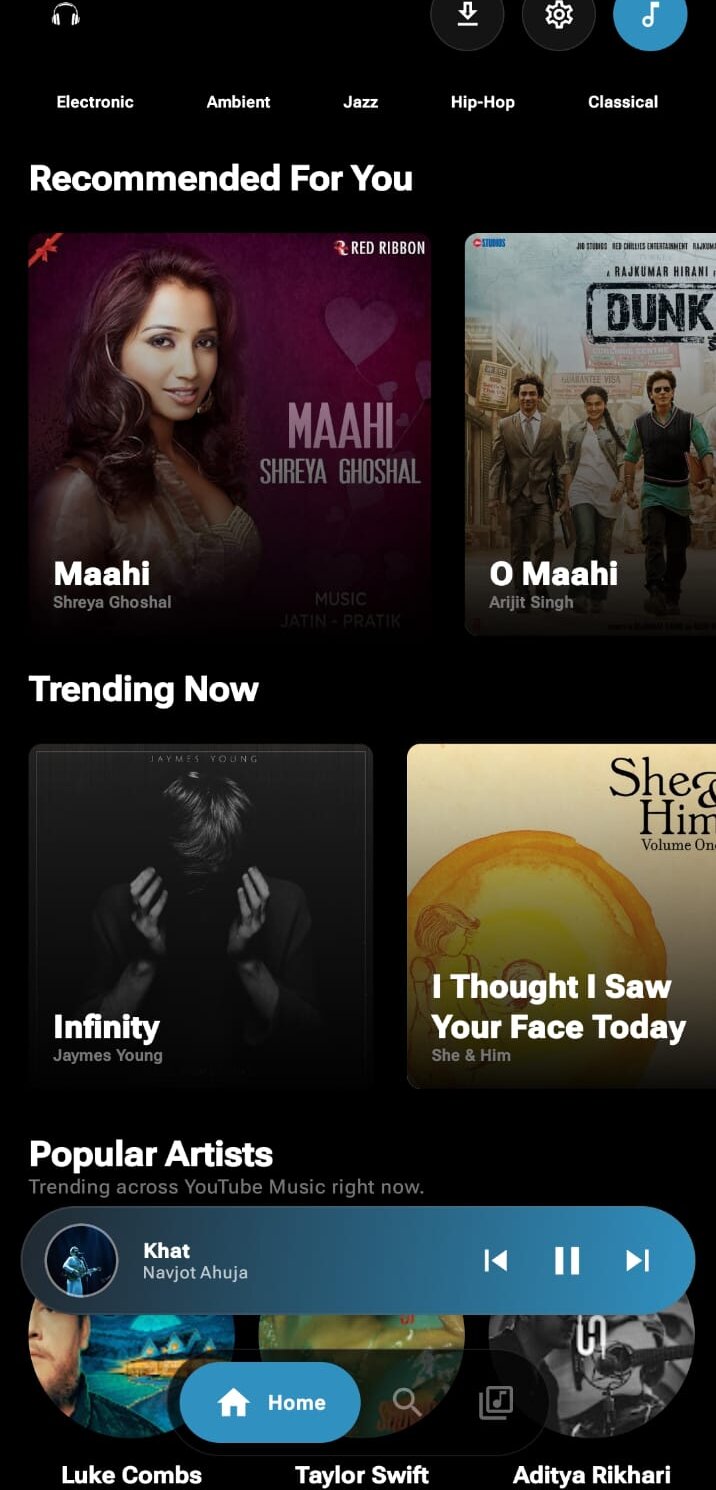
The feed opens on a Recommended For You row built from on-device play history, capped at the last thirty plays. It starts responding to what you have actually listened to instead of staying generic until a server has seen enough of you.
Trending and New sections sit alongside it, along with an artist spotlight carousel and genre chips for jumping into a mood directly. Pull to refresh reruns the whole feed, recommendations included.
What happens when you search?
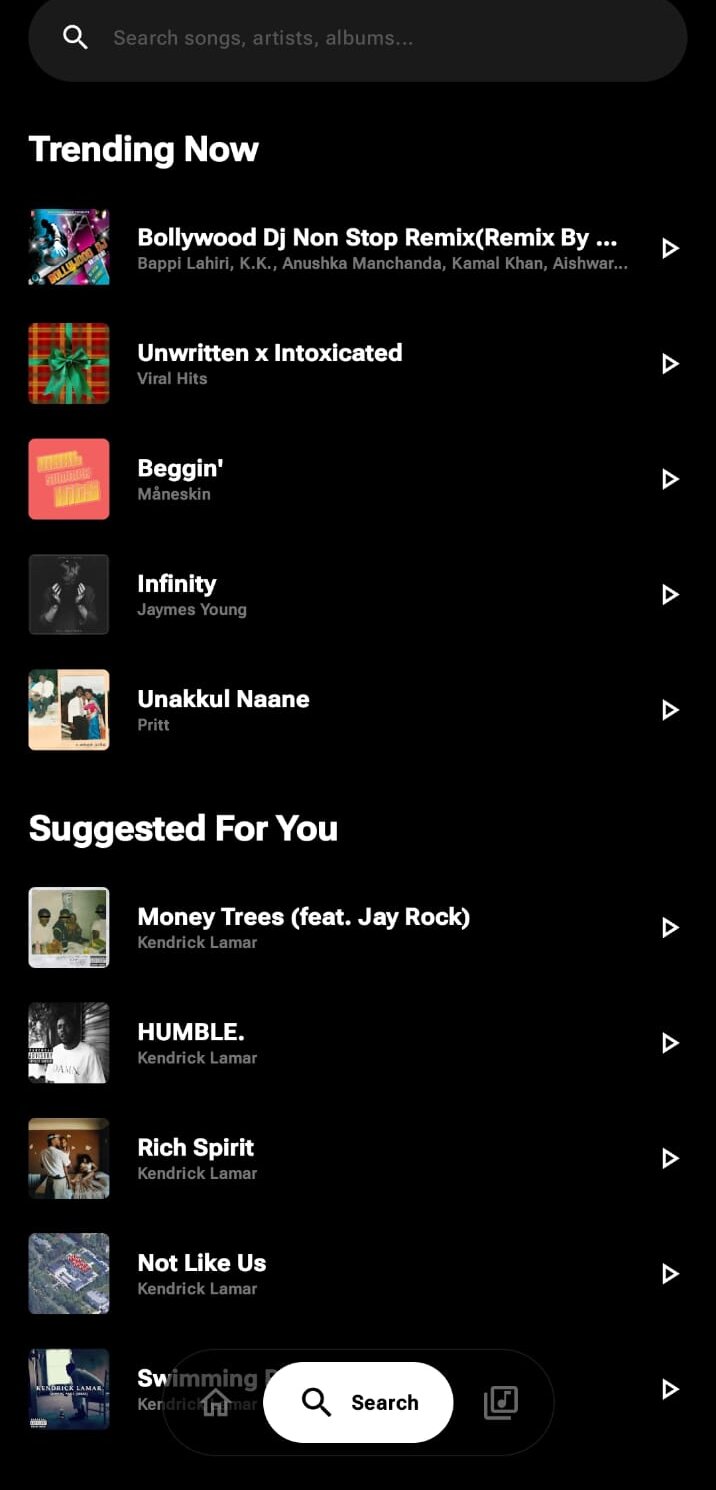
Typing does not fire a request on every keystroke. Input is debounced first, then sent to InnerTube's own search endpoint, the same one youtube.com uses.
That endpoint returns songs, videos, artists, and albums mixed together, so results are filtered down to songs before they reach the screen. A tap starts playback right away. A slow connection or an empty query gets its own state instead of a blank screen.
What happens when you press play?
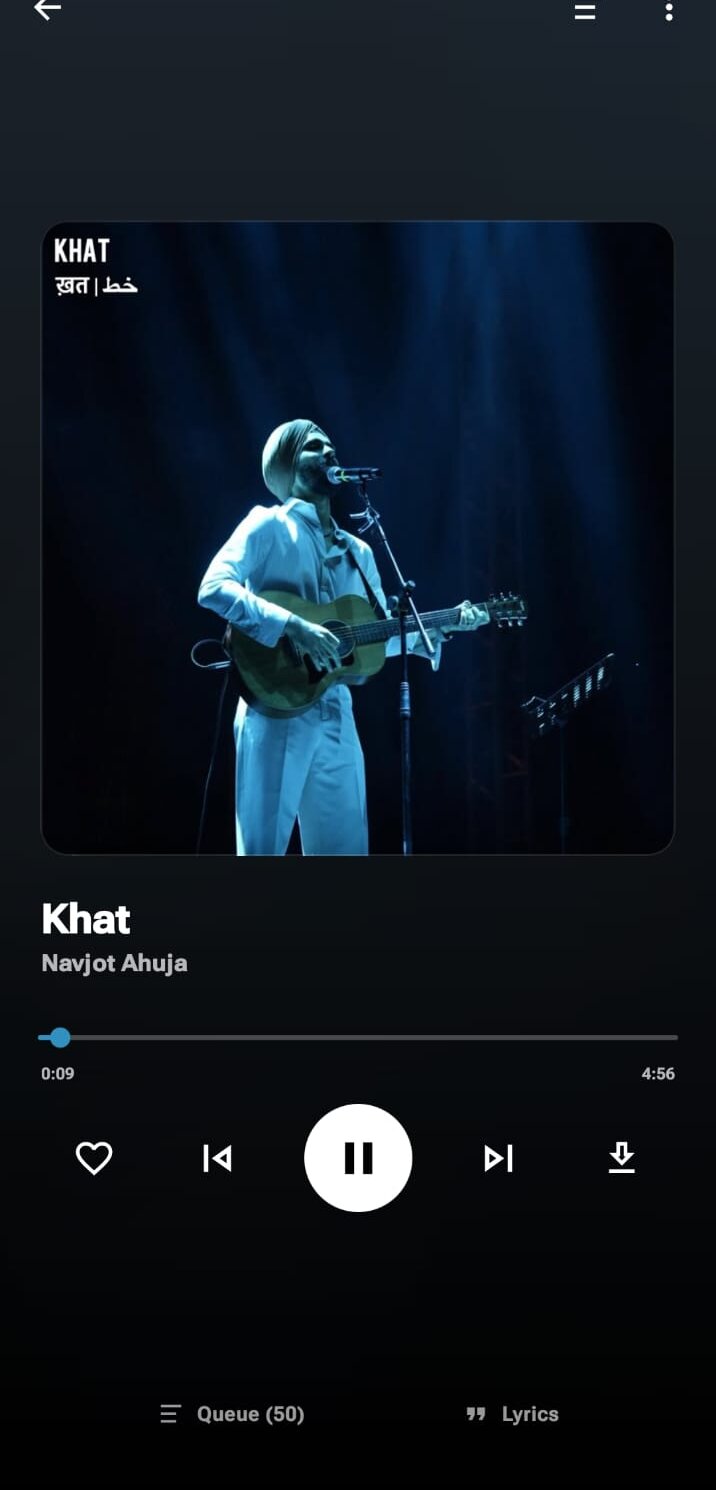
Tapping a song does not hand the player a URL that was already sitting there. It triggers a live resolve against InnerTube first, and only once that succeeds does the app start requesting audio, in small bounded ranges rather than one open-ended request.
If YouTube's CDN rejects a range partway through, the app does not just show an error. It mints a fresh anonymous identity and re-resolves the track from scratch, up to a handful of attempts, rather than giving up outright. Timed lyrics come from LRCLIB, with InnerTube's own plain-text lyrics as a fallback when a track has no synced version.
Where do liked songs and downloads live?
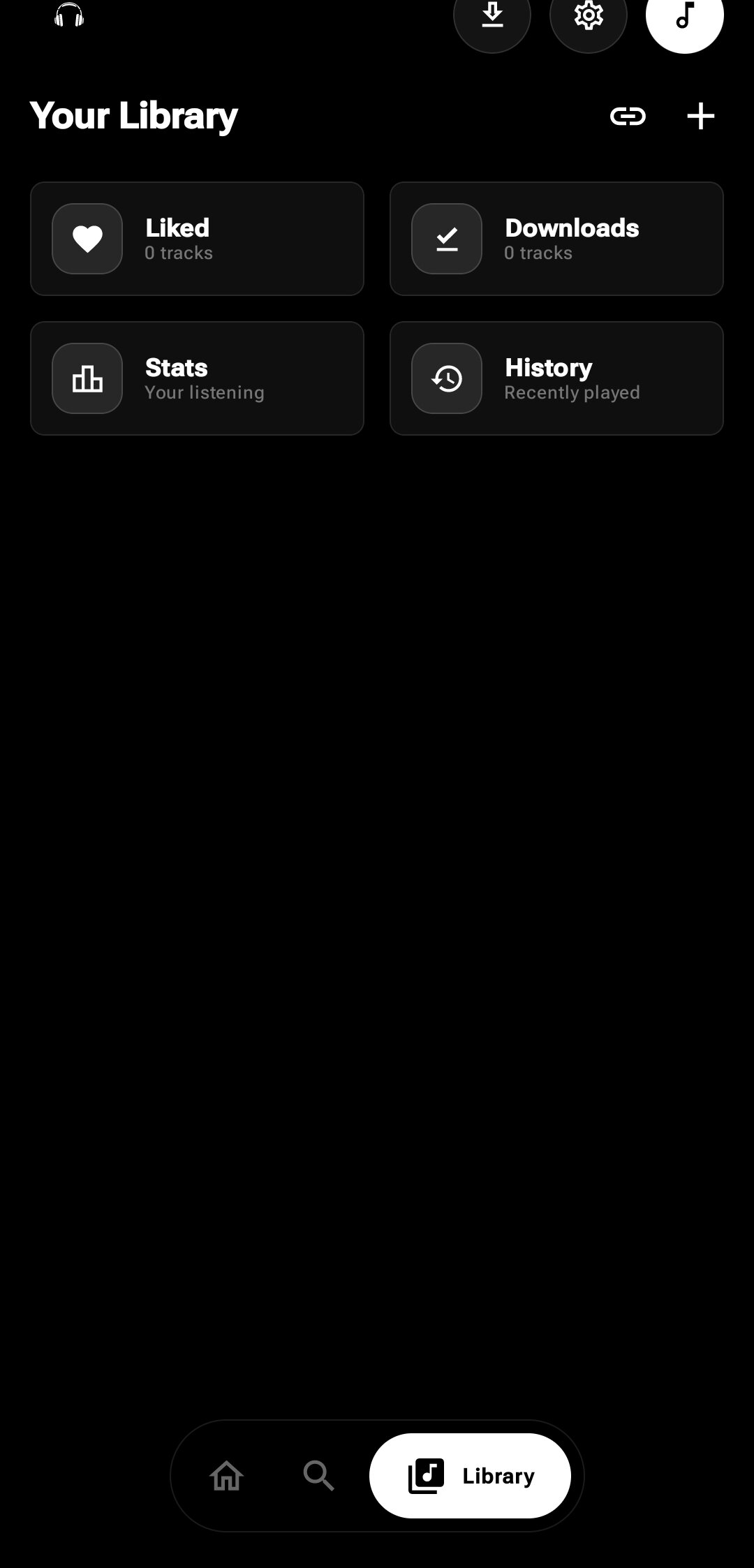
Everything you save stays on the device. Likes are written to a local JSON store that every screen reads from, so a song liked from the player shows as liked in search results too.
Downloads work the same way, saved to app storage through an atomic temp-file write, so a download interrupted partway through cannot leave a corrupted file behind. Featured playlists and pull-to-refresh round out the screen. None of it needs an account to exist.
What does it know about your listening?
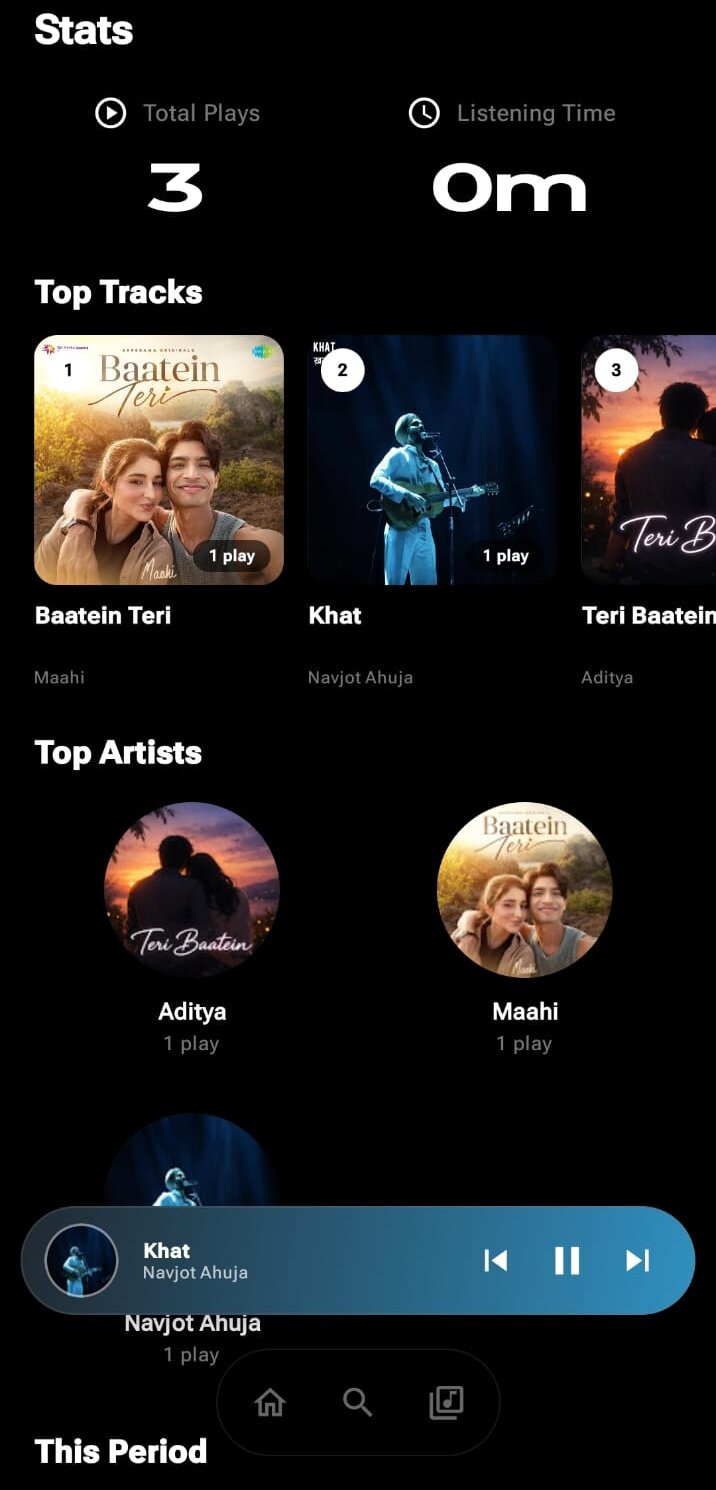
The same play history that feeds Home's recommendations doubles as a stats page here. Total listening time, top artists, top tracks, and a streak are all computed from that on-device history, nothing phoned home to work them out.
It is the one screen in the app built purely for you to look at, not to help you find the next song.